Cadbury Roses Personalisation
Job number: 6534
RUN SHEET
Equipment Check
1x Table (table, table wrap, header card, poles)
1x pull up banner (inside the table box)
Brown Box: 1x HP Laptop, extension cord, double adaptor, paper, trimmer, toners, double sided tape, backing card, 2x Roses Aprons, 2x white collared shirts
1x Brother Printer
NB: If your box is missing scissors, can you please take a pair of scissors with you into store?
Prior to Activation
Read through any special reporting requirements studio23.work
Non Negotiable's studio23.work
Health and Safety studio23.work
Ensure you are dressed in the required uniform - Your own black shoes (closed toe), black dress trousers. If you are cold please wear a white sleeve black thermal under the shirt. Hair must be tied up and minimal make-up to be worn ( Refer to the Studio23 Non Negotiables)
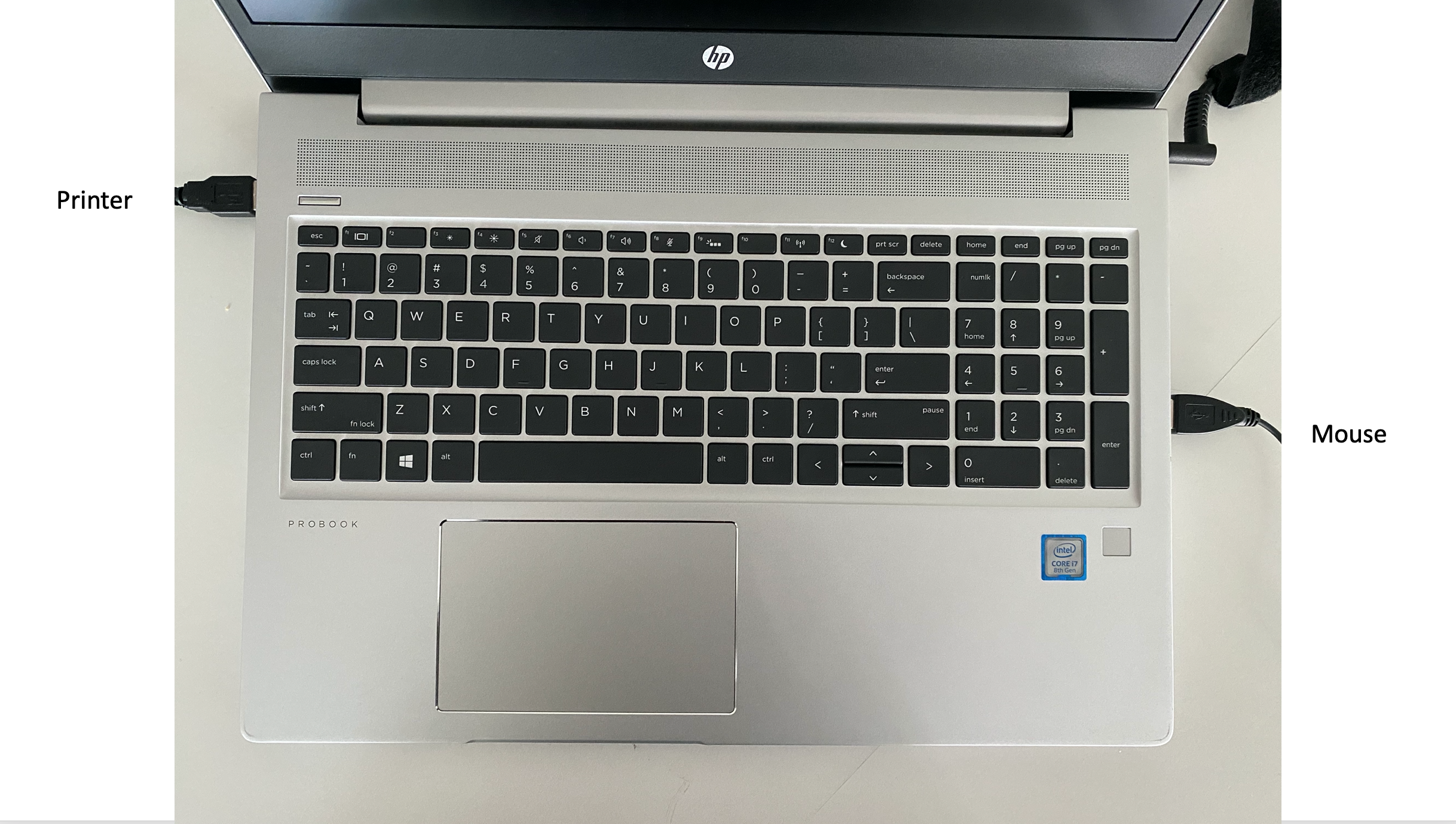
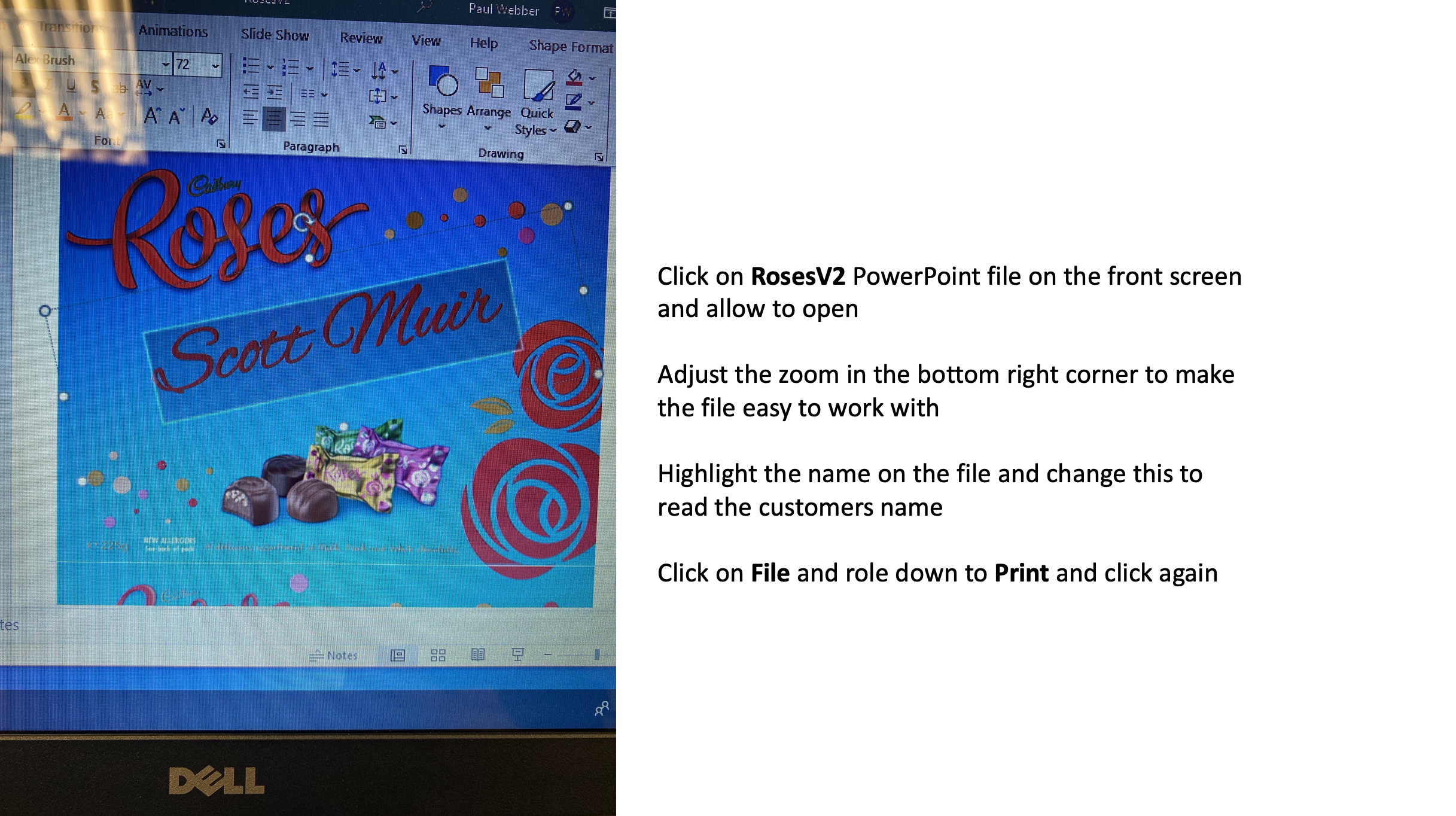
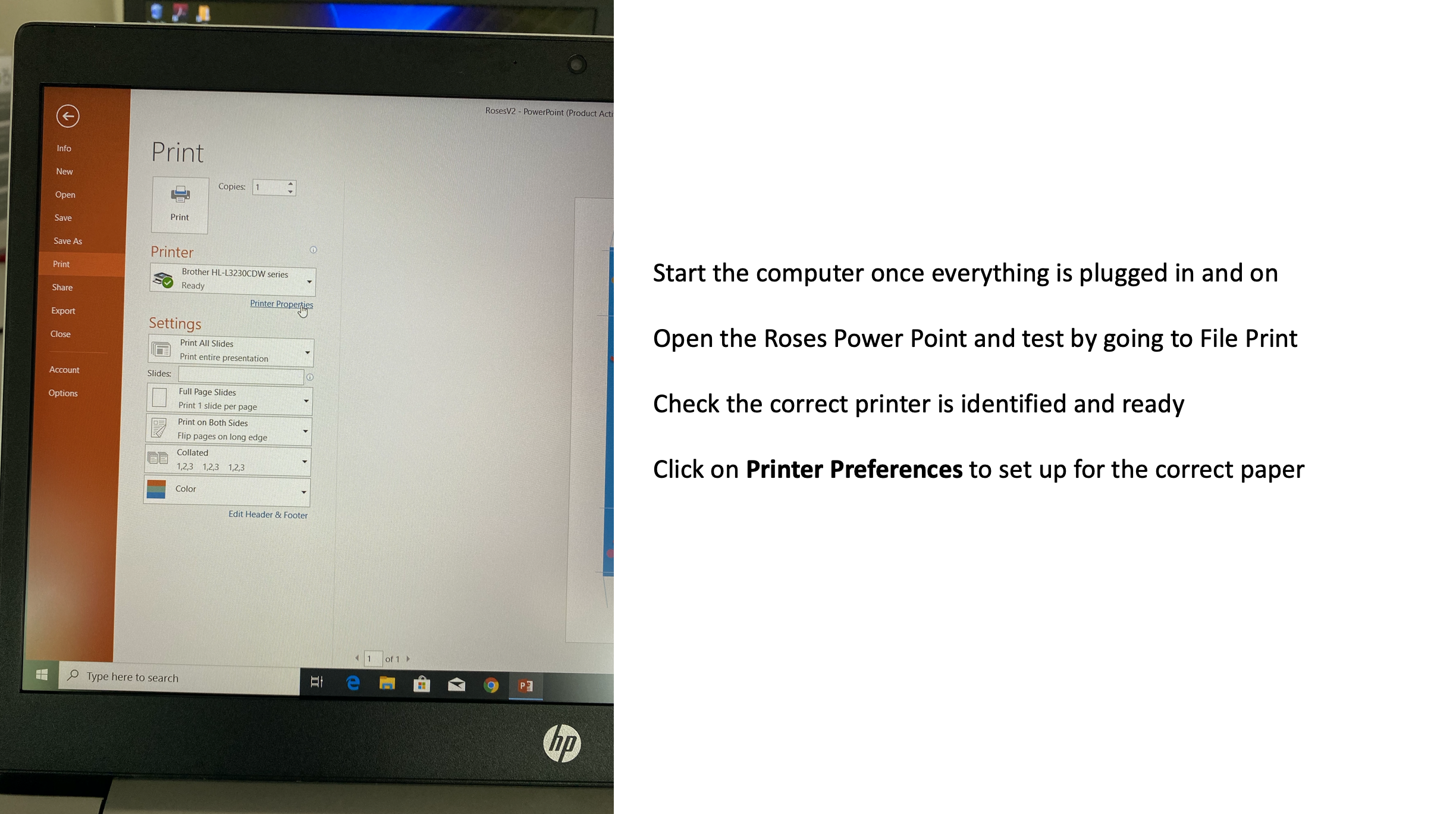
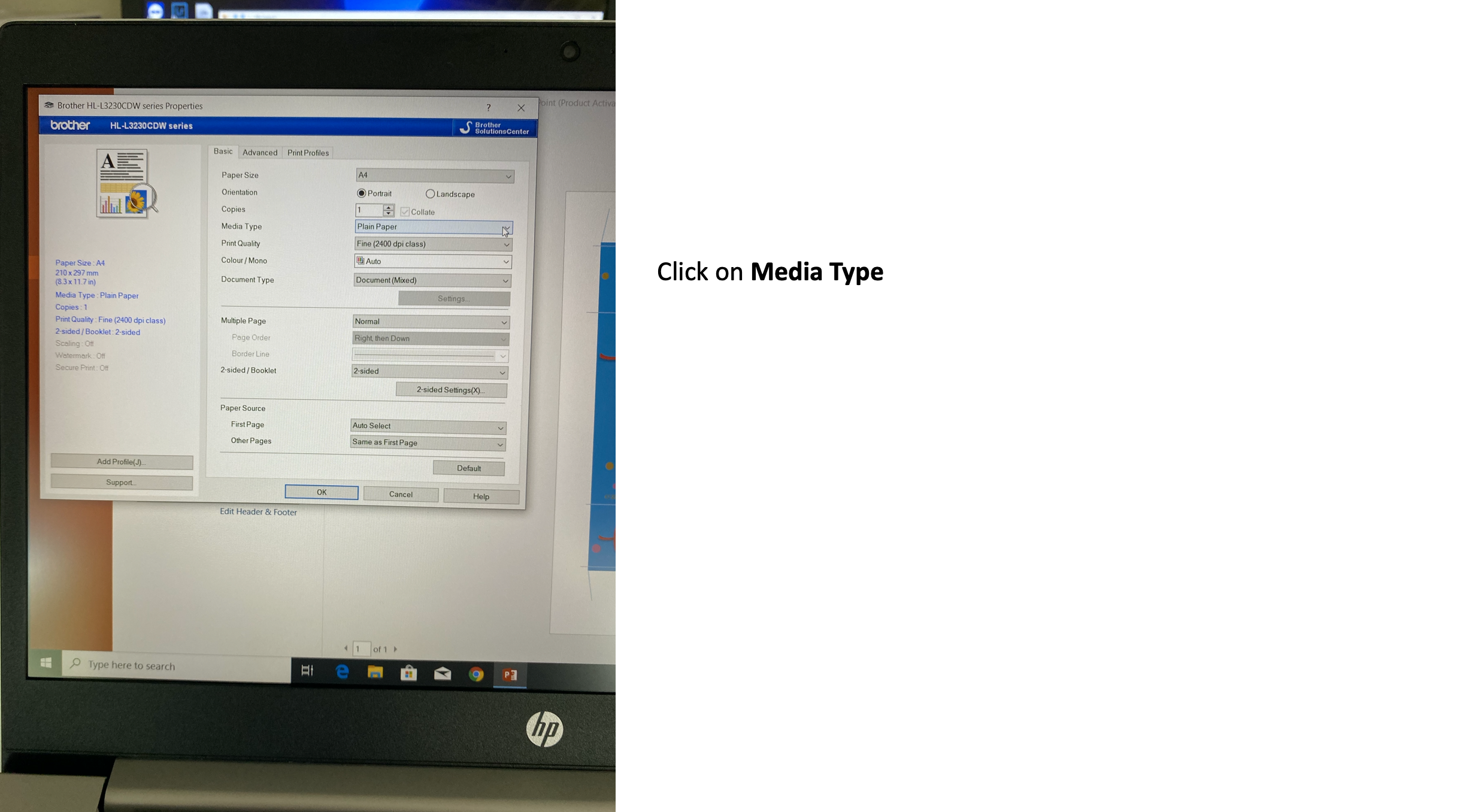
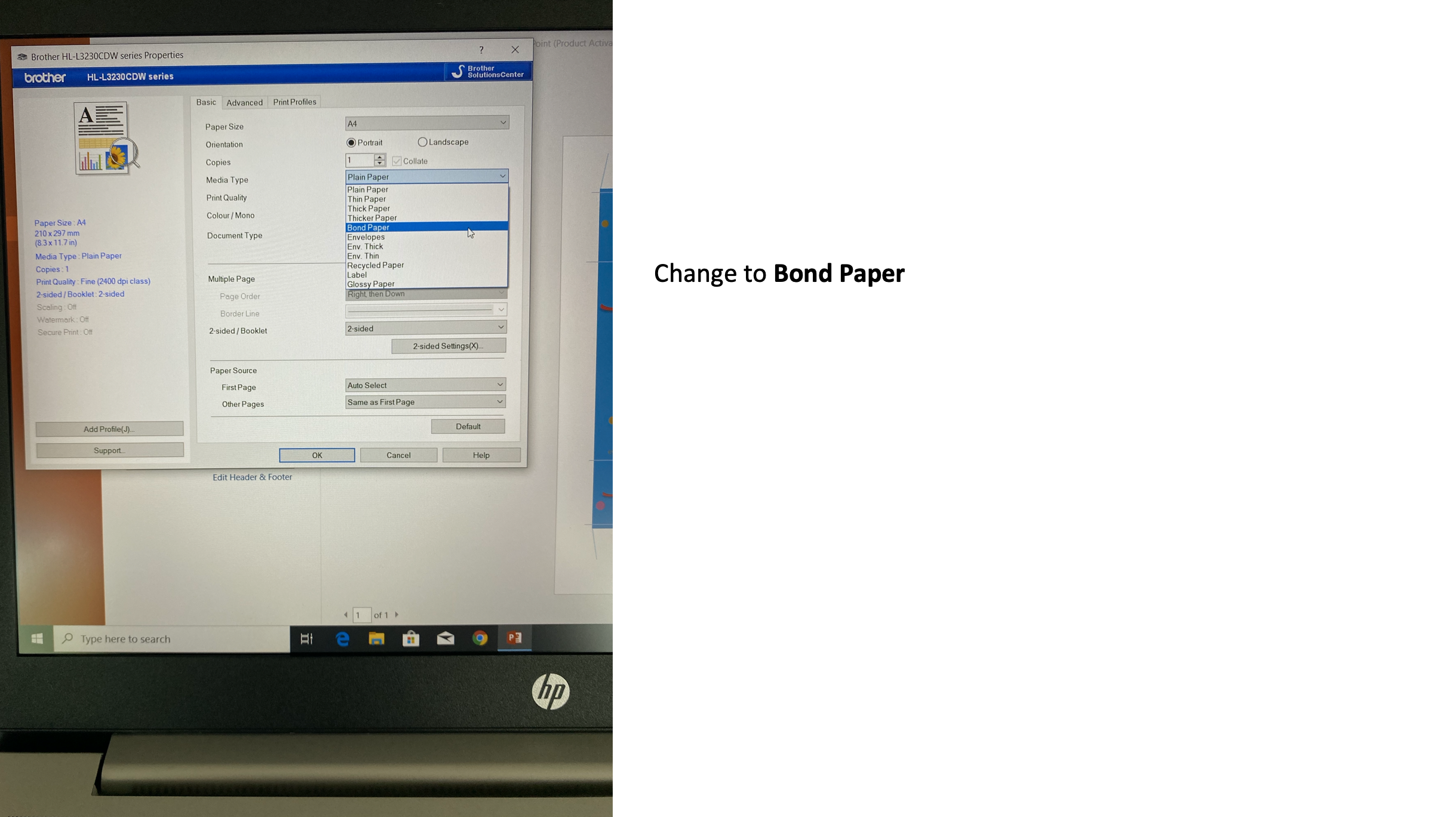
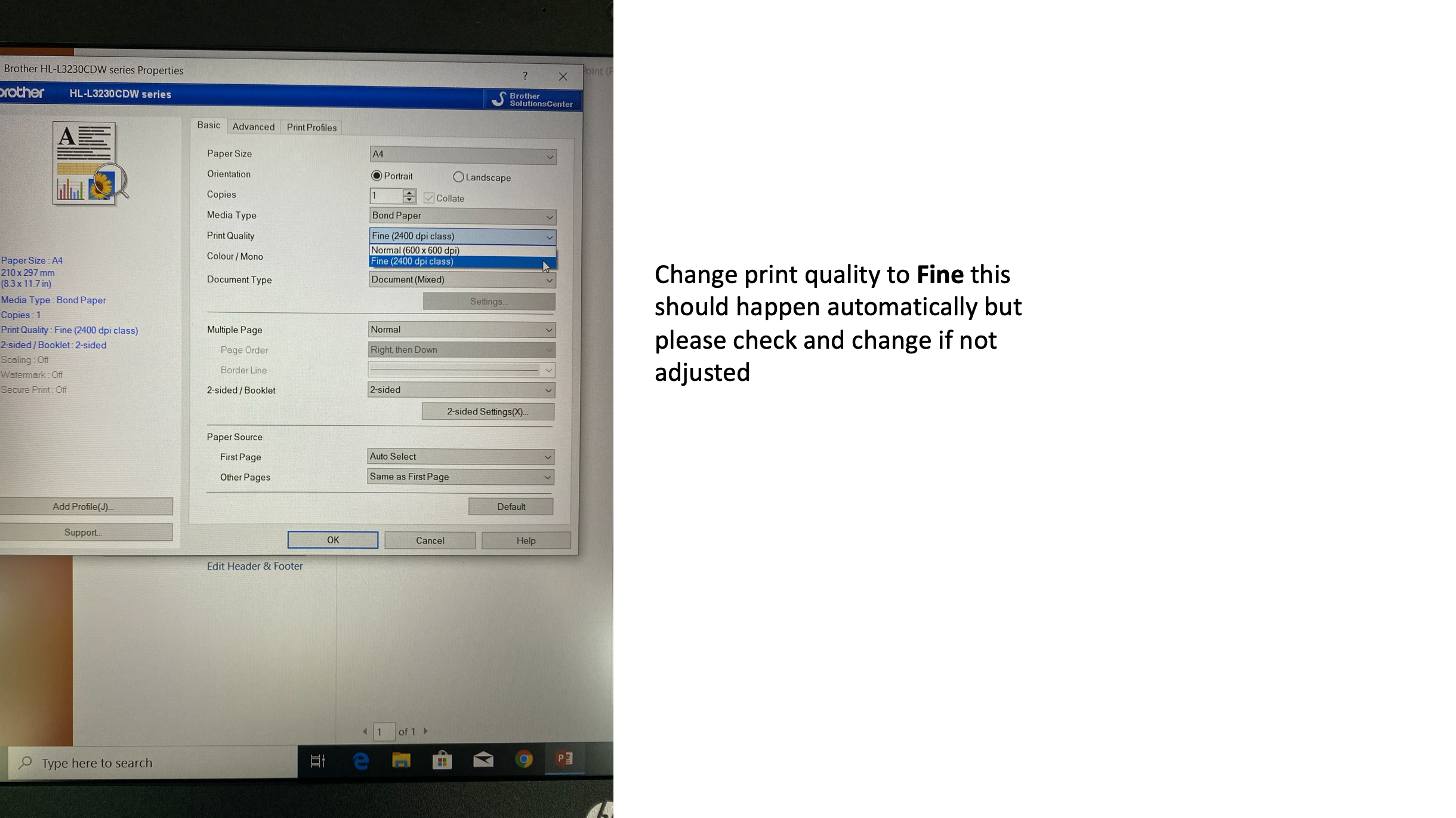
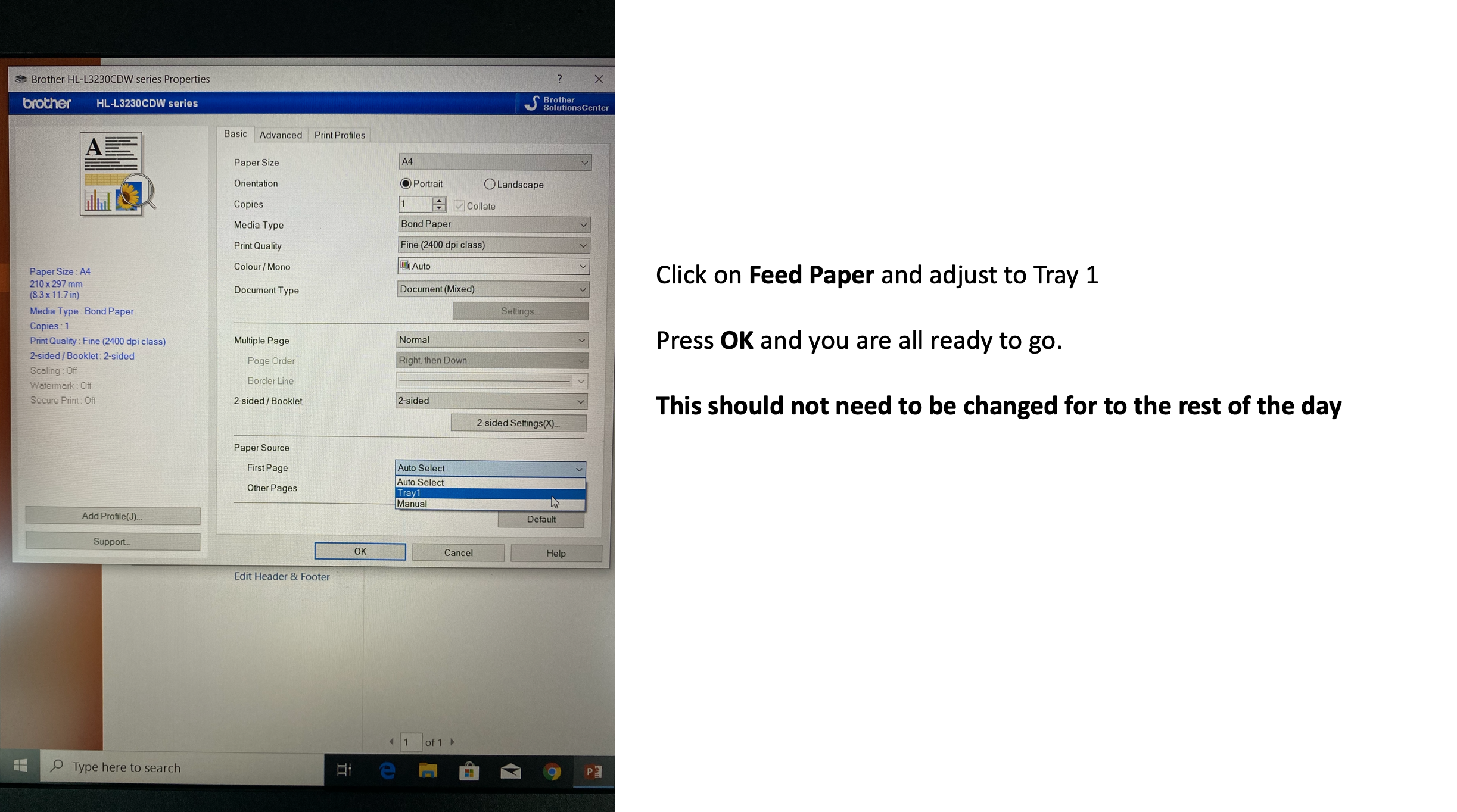
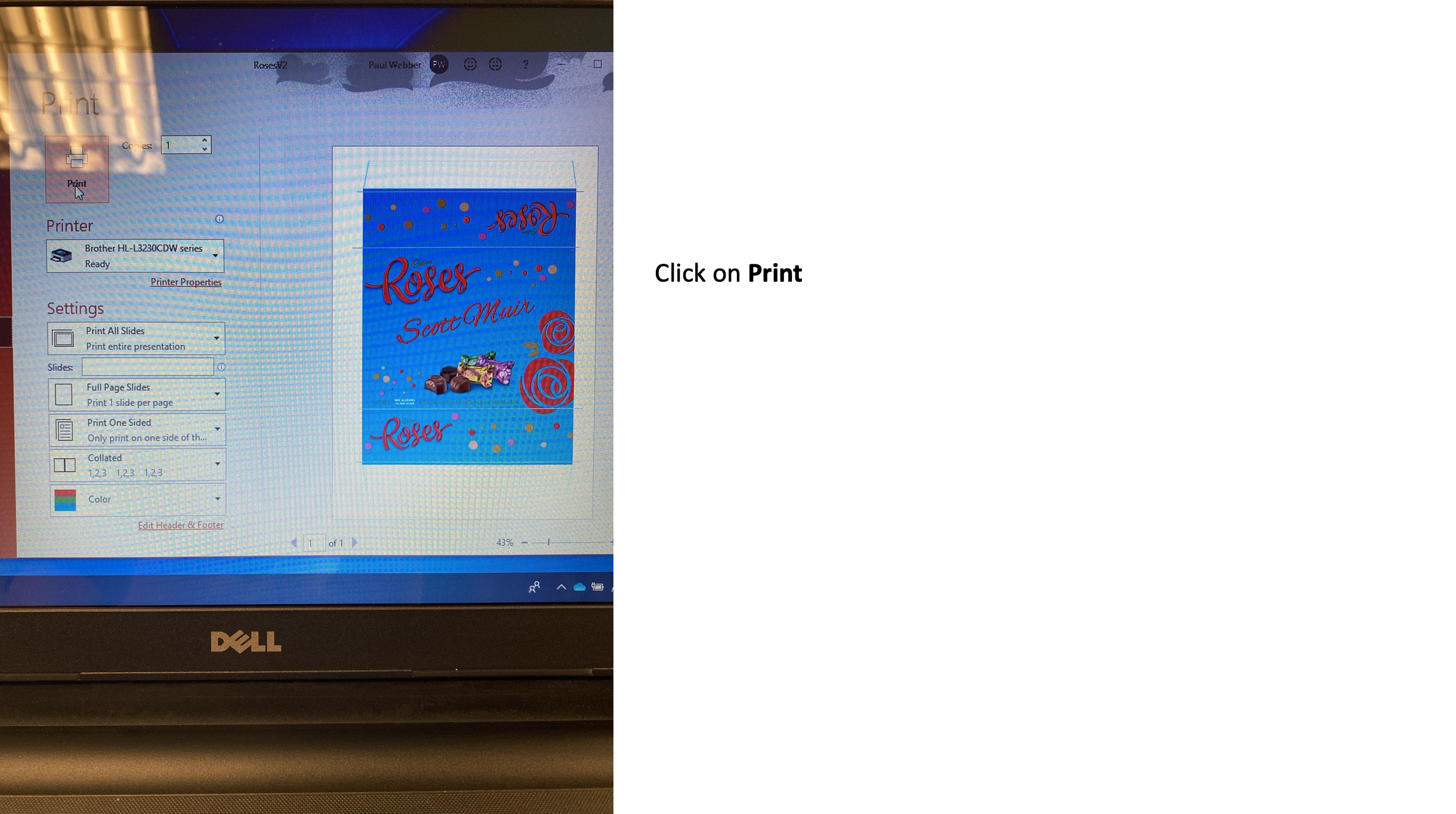
Go through the laptop and printer setup/connection prior to going in to store; practise printing a couple of sheets at home so you are comfortable with this process
Check on Parim for the store locationAt the store
At the Store
Check into Parim
Take all your equipment into store to the set up site
Go to Checkout control and ask for the duty manager so you know where you are setting up
Sign in the visitors book
Set up table with the corflute skirts; plug in the computer and printer
Set up pull up banner with details of the activation
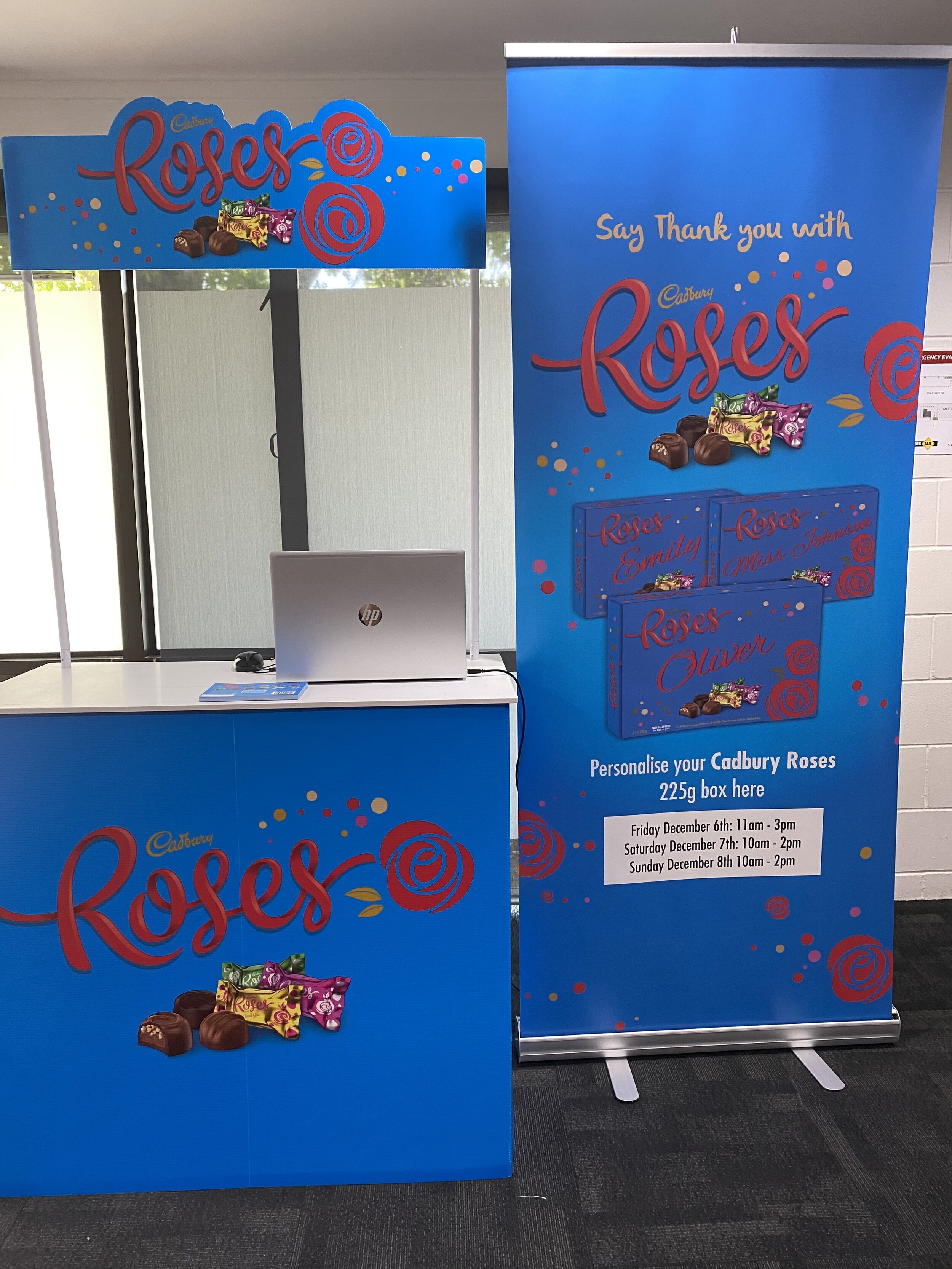
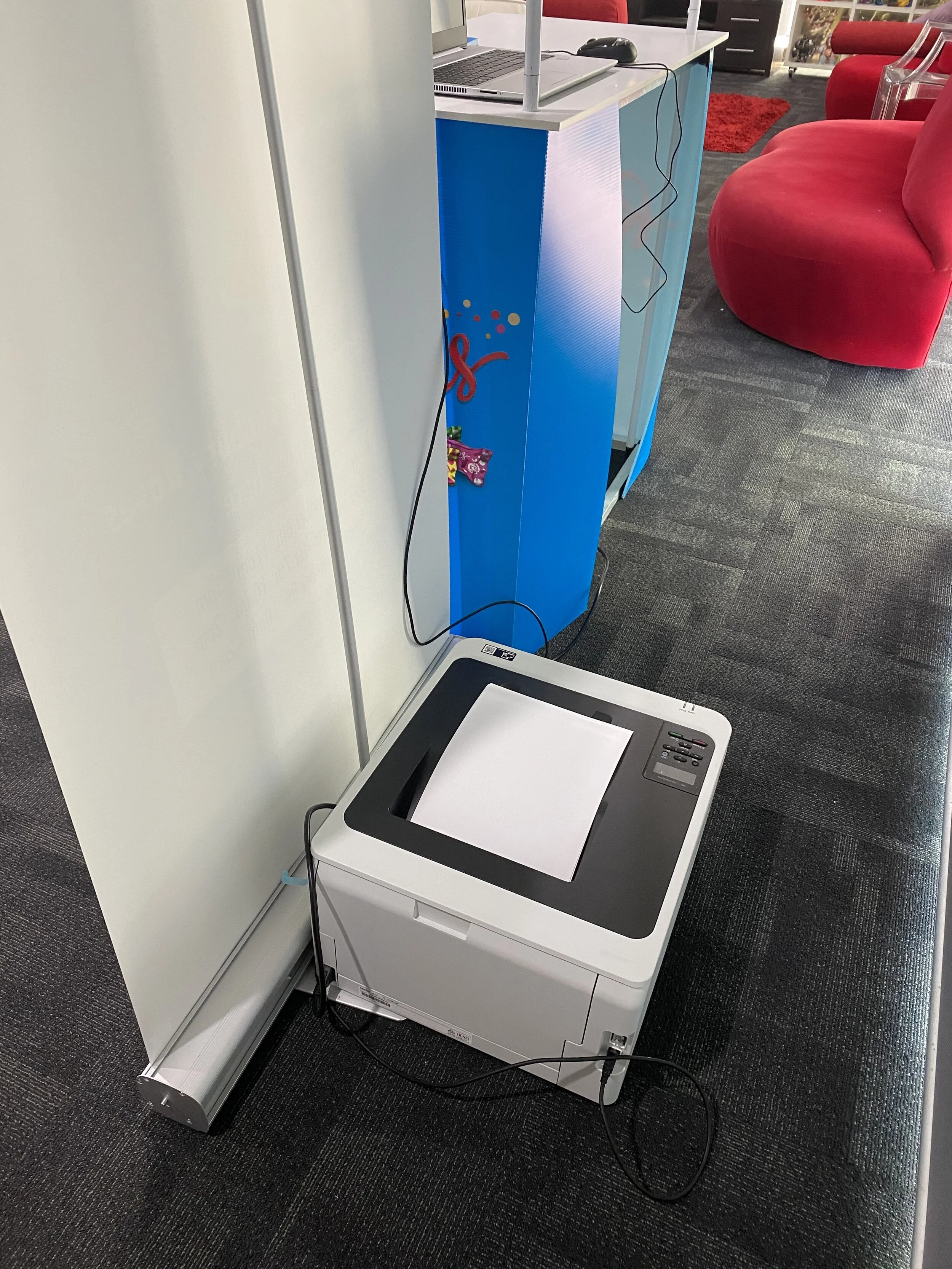
Position the printer behind the banner to keep out of view
Display the table top public disclaimer with regards to personalisation
Team Leader to brief staff on responsibilities for the day
15 minutes from arrival you should be set up and ready to go
PLEASE GET A STAFF MEMBER FROM THE STORE TO TAKE A PHOTO OF YOU STANDING NEXT TO THE PRODUCT WITH YOUR TRAY AND TEXT THIS TO Anne 021612347 AT THE START OF YOUR SHIFT
Setting Up the Computer and Printer
Mechanics of Preparation
Both Brand Evangelists should engage with all consumers on personalise a box of Roses to make this ideal gift for Christmas.
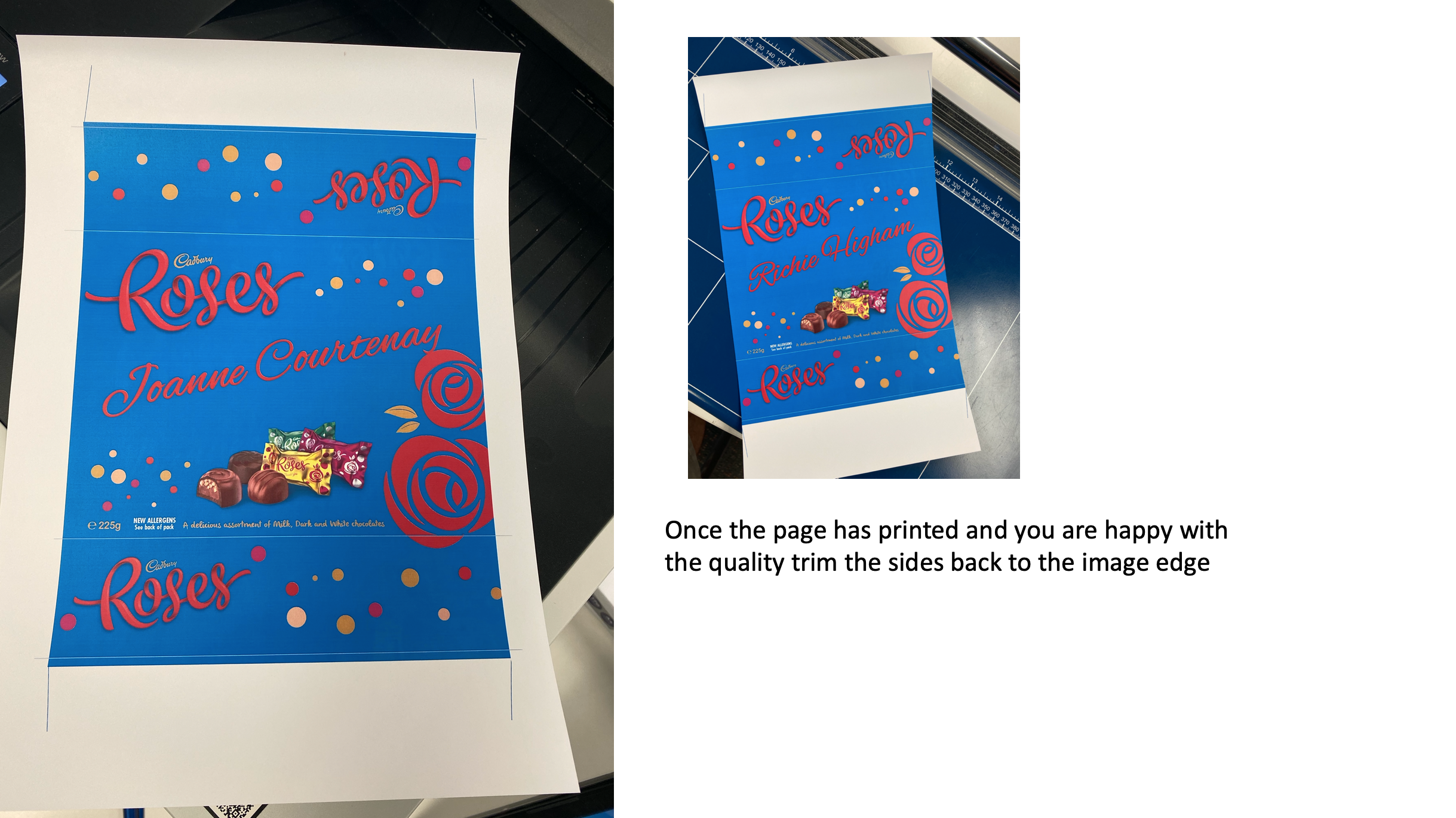
1x staff member is responsible for printing the names onto the sleeves.
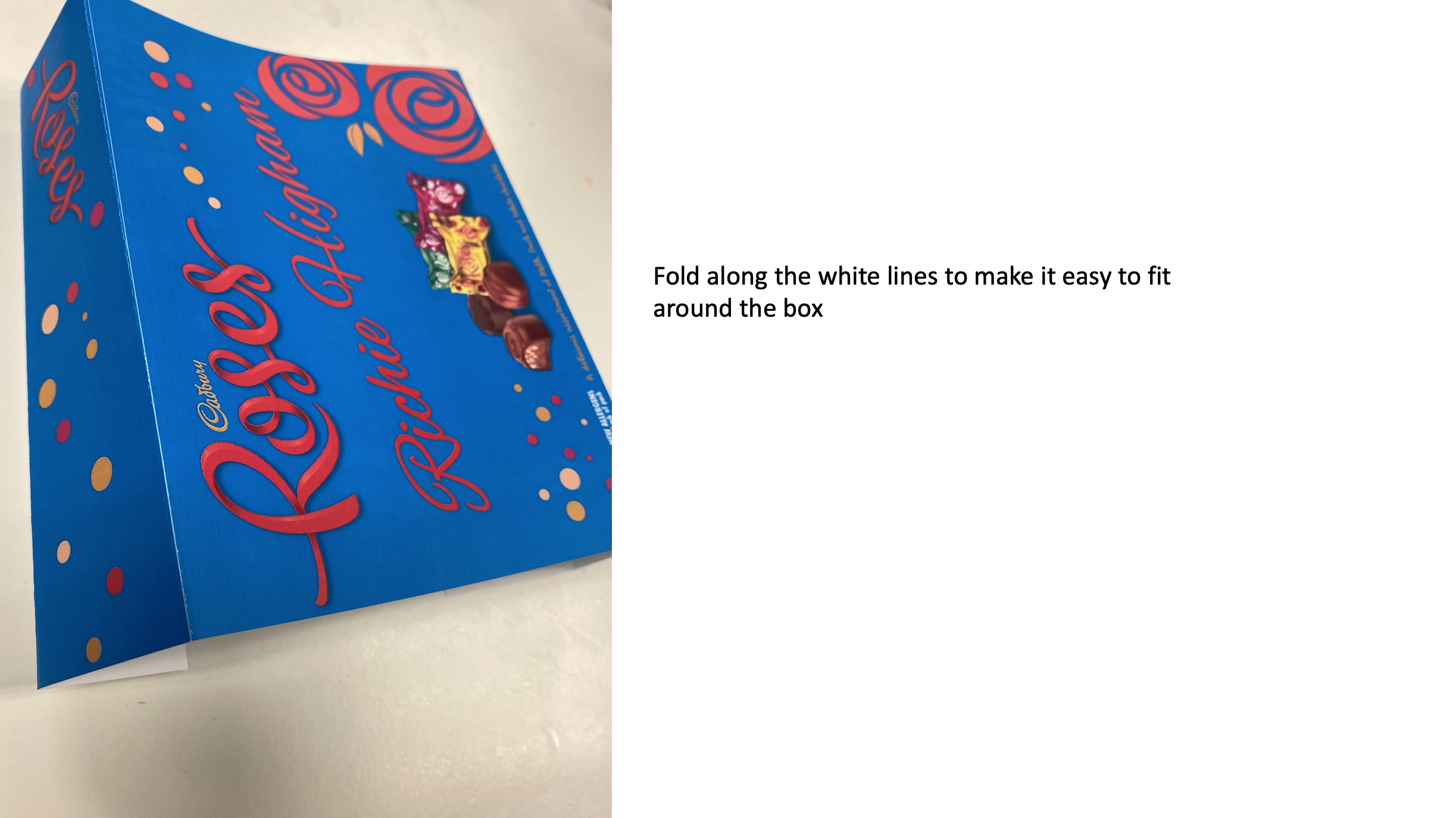
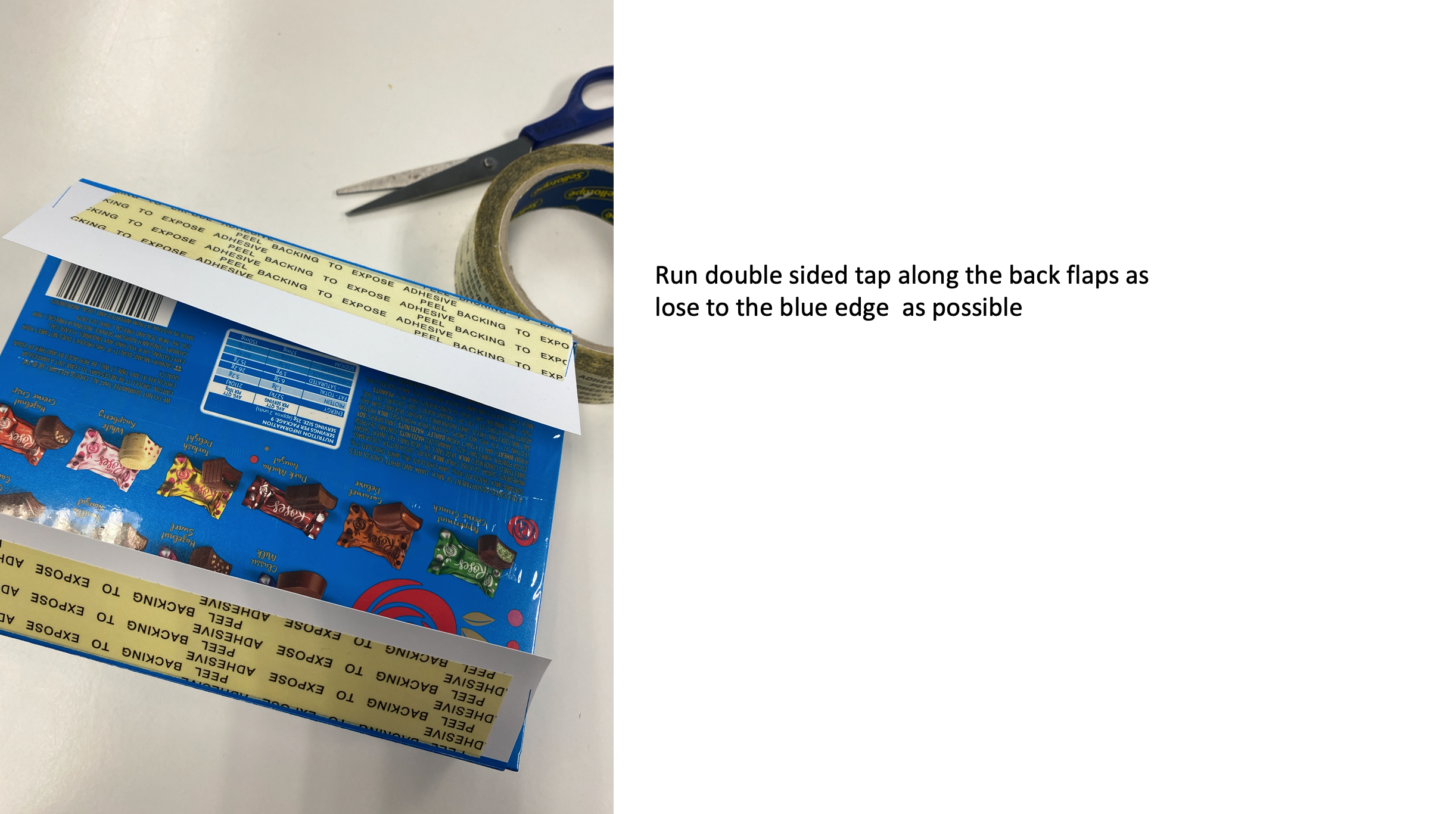
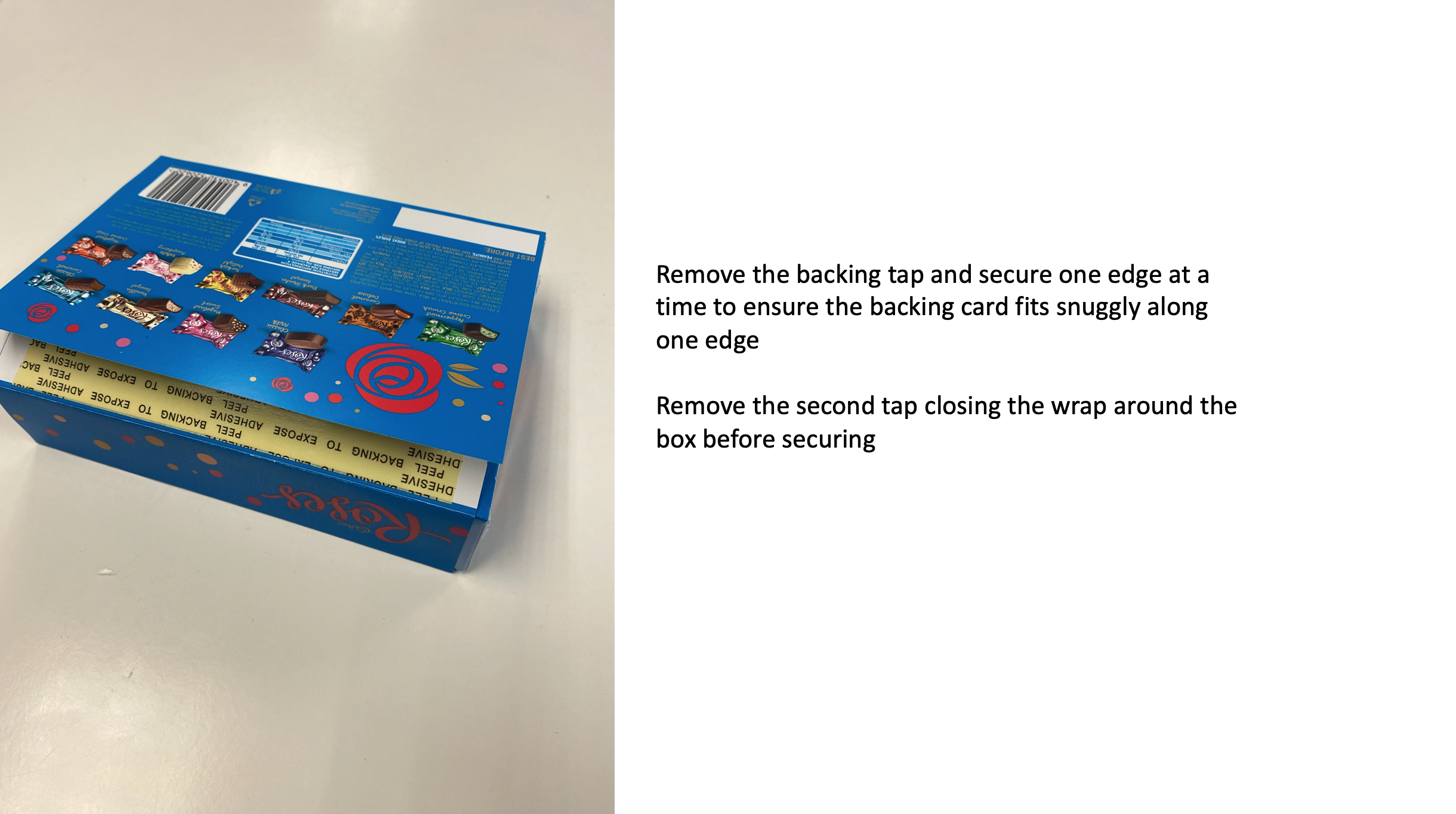
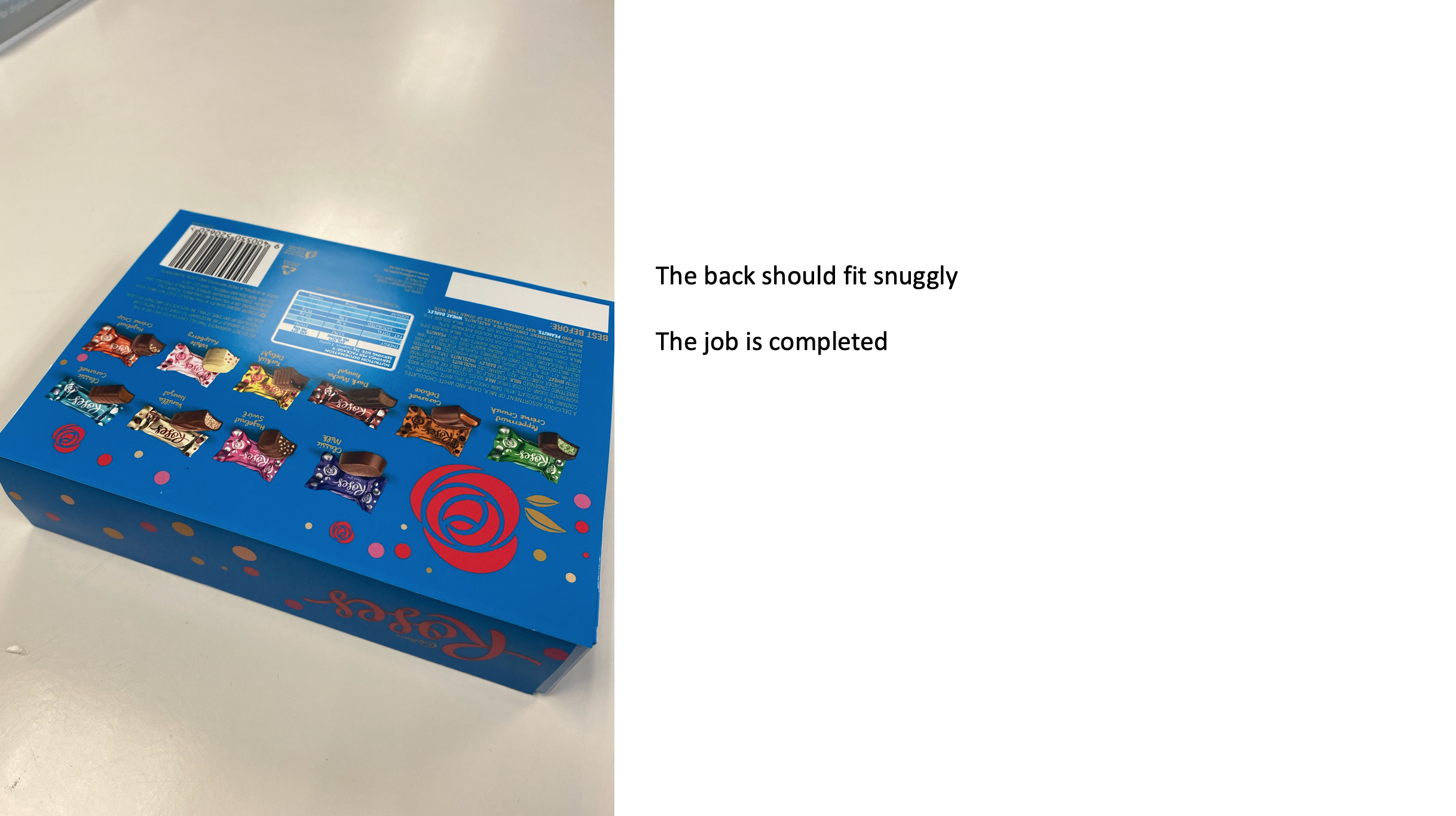
1x staff member is responsible for trimming the sleeves, and applying them to the box of Roses, then handing them to the customers. NB: Remind all customers that they need to purchase their box of Roses after they have been personalised. The “personalisation” is free, however they still need to purchase the block
No children under 14 years and without parent supervision will be allowed to receive a personalised block
The pull up banner is to be left in store (preferably next to the Roses Pallet display). Otherwise, please check with store management as to where it can be left overnight. The banner has the times and dates that we will be in store over the weekend.
During the activation, we encourage you to create general conversation around the Roses activation. Refer to your report as to what questions to ask, but particularly around what they would purchase for Christmas and do they normally buy Roses etc?
There is no product sampling
After your shift
All leftover stockings are to be packed properly back into the boxes
Sign out on Parim, and also the store register
Make sure your report is sent electronically through the Studio23 Staff Portal
Enter your hours into mystaffinfo; pack up the equipment (back into the boxes that they were sent in, especially the printer and laptop). Please ensure that all packaging is not thrown away.
Clean the table before packing away
Please fill in you report here
https://www.surveymonkey.com/r/RosesPer