
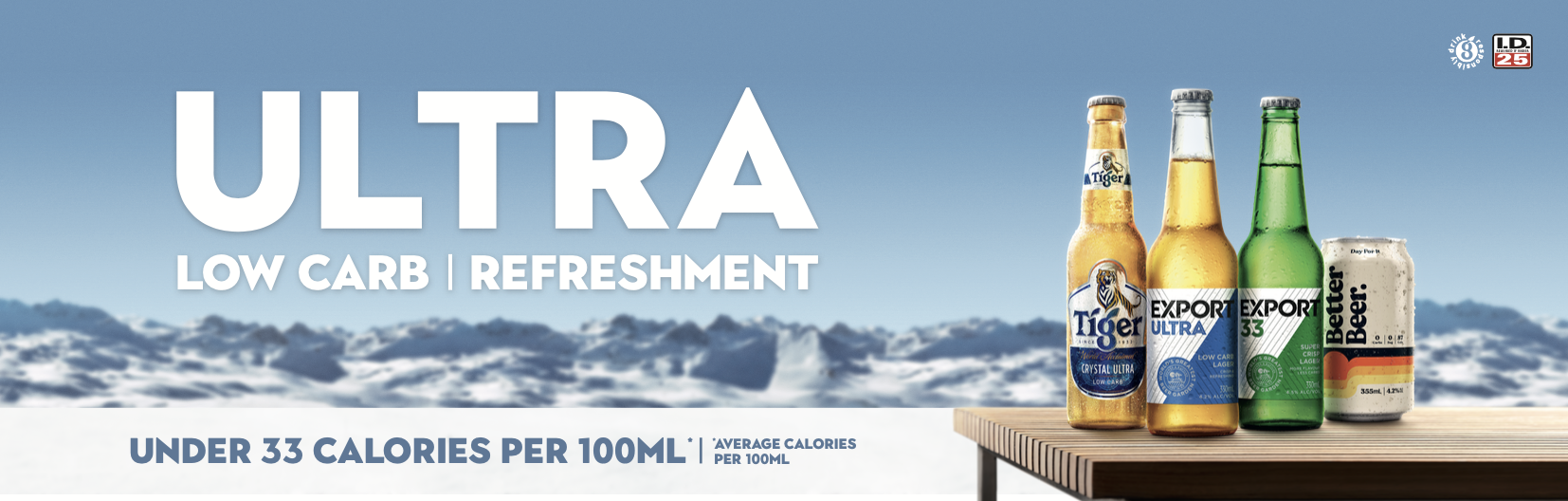
DB Low Carb Range
Cost Centre: 7812
RUN SHEET
Equipment Check
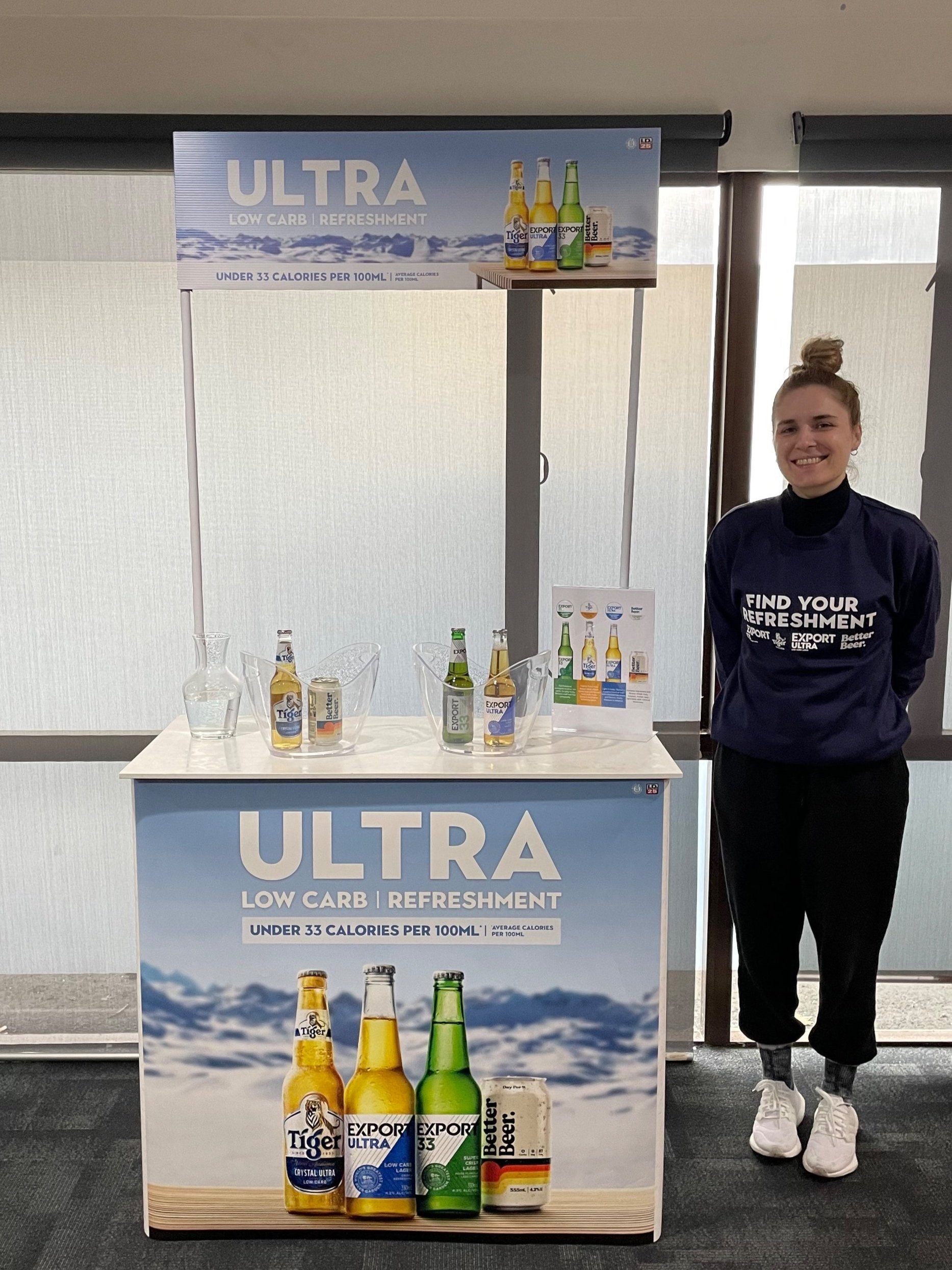
1x sampling table (white top)
1x table wrap (corflute)
1 x ULTRA LOW CARB table wraps
150 sample cups per sampling session
2 x Ice Buckets
Water jug
Cloths to clean table for any moisture or spills
Rubbish Bags and Rubbish Bin
Gloves if sampling in the supermarket
Bottle opener
$100 Countdown Grocery Card to purchase product prior to sampling
UNIFORMS
Branded ULTRA LOW CARB long sleeve t/shirt.
Please wear your own dress Jeans - not ripped, and clean sneakers, shoes
Personal Breaks
During your demonstration, you are entitled to a 10-minute refreshment break
Ensure any sampling product is packed away out of view during your break
IMPORTANT - The following online education is essential to working on this activation. It will take 15 minutes to complete
You will need to register to work as a Brand Promoter at (DB Breweries Wellington)
Watch the video and the launch of eLearning to answer the questions
PRODUCT SAMPLING INFORMATION
Background
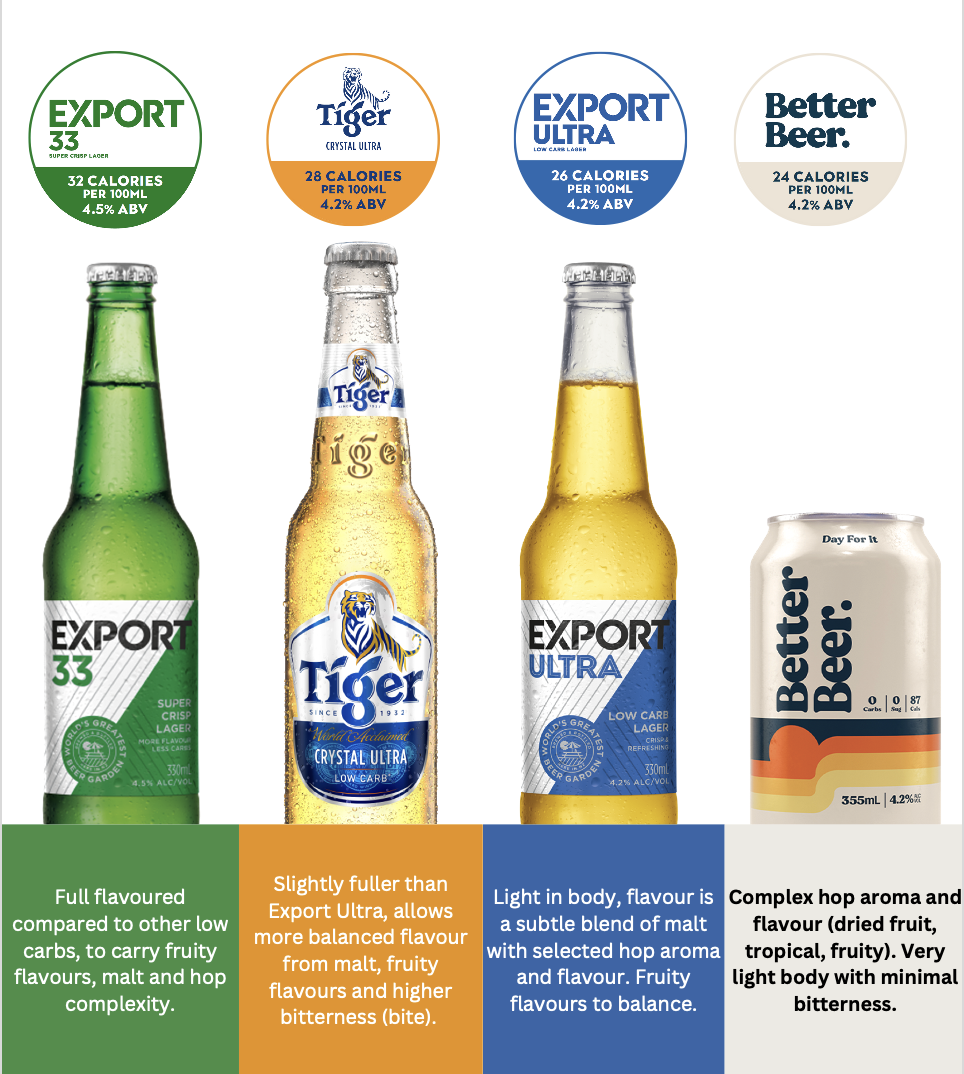
Shoppers are choosing low carb options. DB has recently established a full portfolio of low carb beer options. The existing Tiger Crystal Ultra, Better Beer and Export 33, and the recently launched Export Ultra. We now have a strong collective of options that cover a wide range of consumers. We now want to communicate the low carb message and help consumers find the right product for them, from our portfolio, not the competitors.
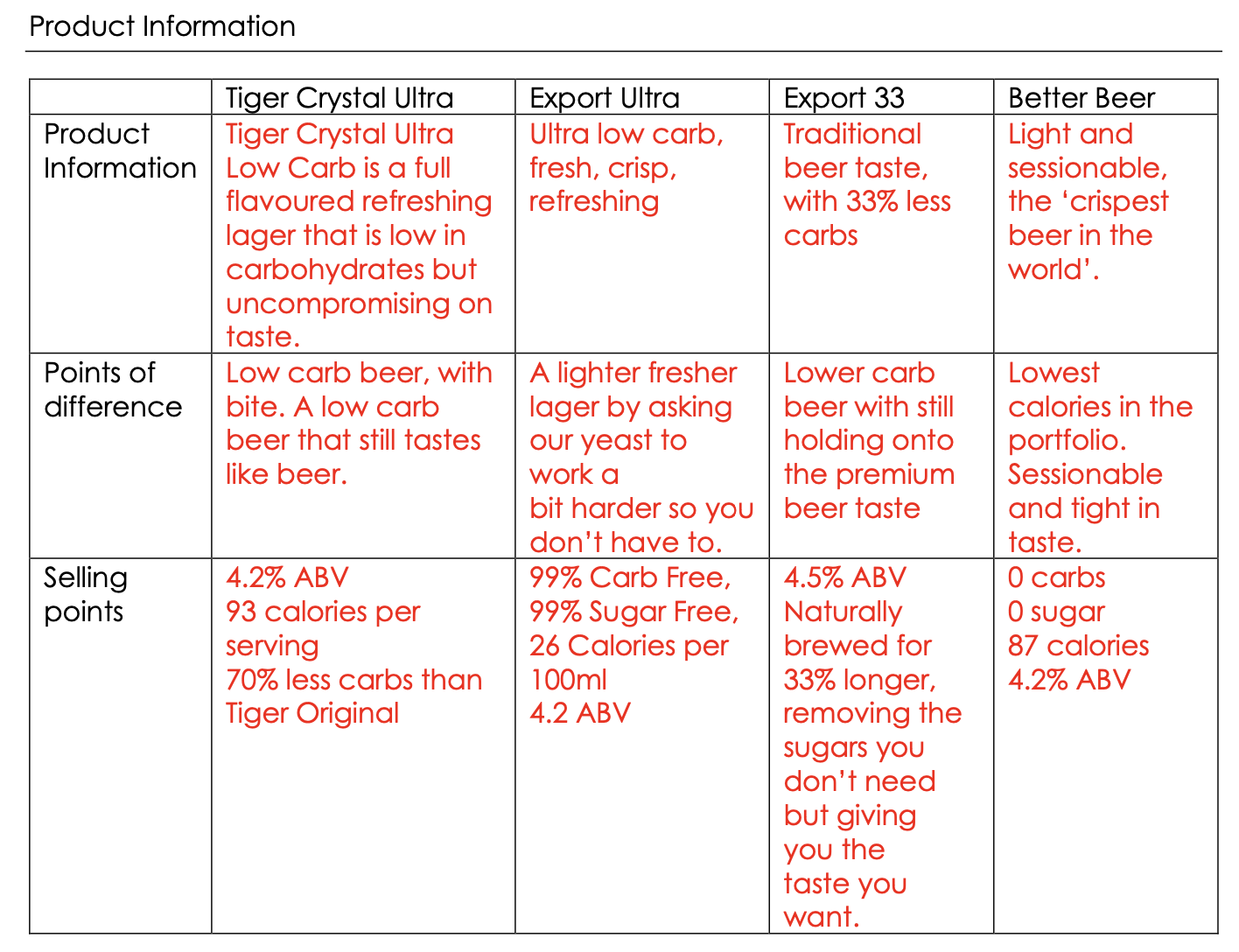
Product Information
Key Points of Difference
Low-carb beer, with bite. A low-carb beer that still tastes like beer.
Target Markets
Aspiration target: 22-29 years old – male and female. Gen Z, the emerging generation.
Wider target: 20-45-year-old. Male and female, beer drinkers and non-beer rejectors.
Challenge:
The biggest challenge for our brands is breaking through the other low-carb beers in the market. We want our brands to be the first choice when consumers want a premium low-carb beer option.
We also want to ensure we are targeting the right consumers when sampling and avoiding consumers in grocery who are just after a freebie. How we can target these consumers with a setup that appeals to them and not the others?
Introduction Line
“Have you tried low-carb beer? We have a selection here for you to try and find the beer for you / the taste you’ll love. (if you have and you don’t like it, there are options).”
At the store
Introduce yourself to the Duty Manager
The Duty Manager will show you where you can set up your table (this will ideally be either next to a display or in a visible position at the front of the store in the liquor area as people arrive in the liquor outlets ). If sampling in a supermarket The table must not be in any other area in supermarkets, it must be in the liquor area
When you are all set up, please get the duty manager to take a photo of you beside the sampling table and email donna@studio23.co.nz or text this to me. 021 612 349. This must be done before you start sampling
Sampling Stock
Your’e required to purchase a box of the each variants that we are sampling - Export 33, Export Ultra, Better Beer and Tiger Crystal Ultra. If your first job is in a Countdown buy this when you arrive, If you are working in another store i.e another super market or liquor outlet you will need to buy the beer prior to the job so you can take this into the store to use for sampling. In all cases you must show the Duty manager that this is your stock and not taken from the store shelf - please only have 3 bottles of each variant in your ice bucket to sample from and put the rest in your car
We need receipts please, please send these back with your gear or take a photo and email me a copy so we can balance the cards, etc, all cards must be sent back with your gear
If you are in a supermarket ask the deli area if they would mind putting some ice in your ice bucket, If you are in a liquor store buy some ice with your countdown card when you buy your beer and keep this ice for further sampling, ask the liquor store to put this in their freezer for you while you are instore and take it home
Always take note, for our reference, how many bottles you are going through per shift.
You have a complimentary pack sent to you with your gear to try the beers at home before your shift starts the following week
Mechanics of Preparation
Set up the table as to the photo provided
Put the bottles in the ice bucket, and the ice
Put two boxes of store products around the table for display, but also, the customer can take this from you. If they do take this, replace this so you always have these around your table
We are promoting the 4 Low Car beers only.
Put some empty sample cups on the table ready to pour for the customers ( Do not pre-pour)
Fill your water jug at the store and place it on the table - this is for anyone who wants water after sampling.
Everyone over 18yrs that comes into the store is invited to try a sample
Everyone must be over 18yrs - if in doubt, please ask for an ID
Invite consumers to try a sample using the introduction line
Only pour the sample to 1/4 - to half, no more, of the sample cup – this is just a taste
Engage with the consumers and tell them the features of the different variants - the info standee will help you explain the different beers
You are part of this team; thank you for your work on this
Reporting
Please read the report requirements prior to the demonstration. You have a 4.5-hour shift, so it should take about 15 minutes to set up and count the stock, and pack up 1/4 an hour before your shift ends to count the stock balance in the store.
It is best to take a pen and paper with you to note the amount of stock in the chiller before the sample and at the end of the sampling to work out the product sold.
Importantly please Take a note of what was taken from your table . Put on your report the number taken from the shelf or chiller and the number that was taken from your table
The sample amount is how many bottles / can of better beer you used
Take note of the price so you can let customers know
The client has also asked for some information. We will advise what the info is needed but the customer just has to scan the QR code and it is 2 quick questions they want as feedback
1 TBA
2 TBA
After the Sampling
Put any store product around your table back on the shelf and tell the staff that you have finished and thank them (this is for Liquor outlets, supermarket staff are too busy )
Please make sure your report is sent electronically through the Studio23 Staff Portal.
Pack up the Demonstration table, and other equipment
The demo stock that you have bought will do all your jobs - it should be enough for 3 days work. If you do not have enough please let me know, swo please do not consume any at home until all your jobs are completed
Clean all equipment and ensure this is ready for your next demonstration
At the end of your demonstrations and when all your assignments are completed, please contact Donna to make arrangements for your gear to be returned
Please Read the report to ensure you know what information is required during your Activation